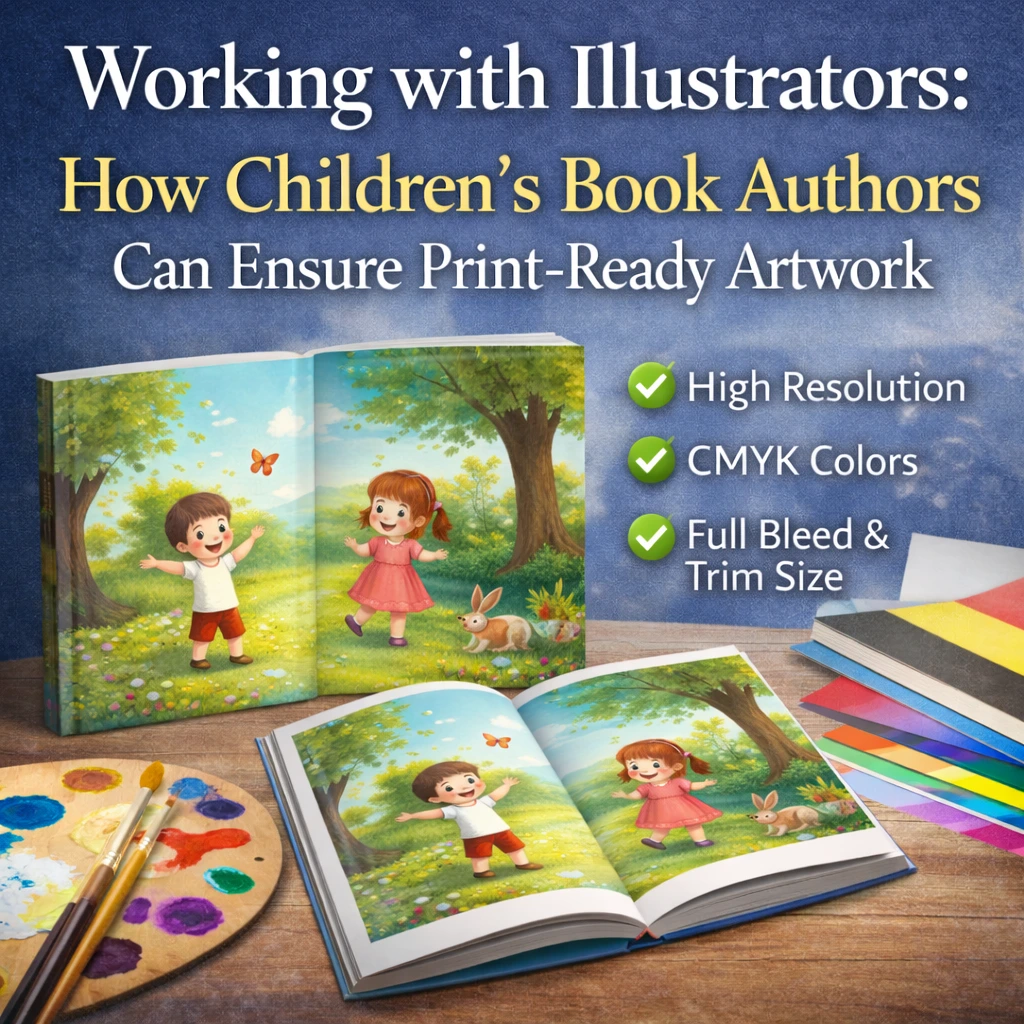
Print-ready children’s book artwork requires illustrations in CMYK color mode at 300 DPI resolution with proper bleed extensions, delivered as layered or flattened files in formats your printer can use—specifications most illustrators understand conceptually but often execute incorrectly without clear guidance. The gap between beautiful digital illustrations and print-ready files causes more children’s book delays and disappointments than any other single factor, typically adding 2-6 weeks to production timelines when corrections are needed.
Children’s book authors invest thousands of dollars in illustration, only to discover at the printing stage that files need extensive rework. Colors shift dramatically when converted from screen-optimized RGB to print-optimized CMYK. Illustrations that look stunning on monitors appear muddy or desaturated in print. Artwork that extends to page edges gets cropped incorrectly because bleed wasn’t included. These problems are preventable when authors understand print requirements and communicate them clearly to illustrators from the project’s start. With over 30 years of combined experience helping children’s book authors bring their visions to life, the PRC Book Printing team—including Sales & Production Manager Heather Kustra, who specializes in guiding children’s book creators—has seen every illustration file problem and knows exactly how to prevent them.
What You’ll Learn
- What Makes Artwork “Print-Ready”?
- Why Illustration Files Fail at the Printing Stage
- Essential Print Specifications for Children’s Book Illustrations
- How to Communicate Requirements to Your Illustrator
- File Delivery and Quality Verification
- Expert Tips from PRC Book Printing
- Frequently Asked Questions
- Next Steps: Get Your Children’s Book Printed Right
What Makes Artwork “Print-Ready”?
Print-ready artwork is illustration that can go directly into production without modification, conversion, or correction. It meets every technical specification your printer requires, ensuring the printed result matches your vision and your illustrator’s intent.
Print-ready children’s book artwork must have:
- CMYK color mode (not RGB)
- 300 DPI resolution at final print size
- Proper bleed extending 0.125″ beyond trim on all sides
- Correct trim size matching your book specifications
- Embedded or outlined fonts (if text appears in illustrations)
- Appropriate file format (typically high-resolution PDF, TIFF, or PSD)
- Consistent color profiles across all illustrations
- No compression artifacts or quality degradation
Print-ready artwork should NOT have:
- RGB color mode (screen-optimized colors)
- Low resolution suitable only for web display
- Artwork that stops exactly at the page edge
- Mismatched dimensions across spreads
- Visible layers that affect final appearance
- Font substitution issues
- JPEG compression artifacts
The distinction matters enormously for children’s books specifically because these titles depend entirely on visual impact. A novel with slightly imperfect typography still communicates its story. A children’s picture book with muddy colors, cropped illustrations, or quality degradation fails its fundamental purpose.
Why Illustration Files Fail at the Printing Stage
Understanding why illustration files arrive non-print-ready helps you prevent these problems before they occur. In our decades of producing children’s books for authors nationwide, we’ve identified the root causes that derail illustration-to-print workflows.
Cause #1: Illustrators Working in RGB Color Mode
Most digital illustrators work in RGB color mode by default because it’s optimized for screen display and offers a wider color gamut. Illustration software defaults to RGB. Portfolio pieces display on screens. Client approvals happen via email or video call. The entire illustration workflow exists in the RGB color space.
Professional printing operates in CMYK color space, which uses a fundamentally different method of creating color. When RGB files convert to CMYK for printing, colors shift—sometimes dramatically. Vibrant oranges become muddy. Electric blues turn dull. Saturated greens lose their pop. The illustration that looked stunning on screen disappoints in print.
Illustrators who don’t understand this conversion, or who convert at the wrong stage in their workflow, deliver files that will never print as the author expects.
Cause #2: Resolution Misunderstandings
Digital illustration and web graphics work beautifully at 72-150 DPI because screens don’t require higher resolution. Many illustrators, especially those whose primary work is digital or web-focused, create artwork at screen-appropriate resolutions without realizing print requires significantly more detail.
Children’s books demand 300 DPI at final print size—meaning an 8″ × 10″ illustration needs to be 2400 × 3000 pixels minimum. Illustrations created at lower resolutions cannot be successfully upscaled. Enlarging a 150 DPI image to 300 DPI doesn’t add detail; it creates blur and artifacts that become glaringly obvious in print.
Cause #3: Bleed Confusion
Bleed is the portion of artwork that extends beyond the trim line, ensuring that when pages are cut, color extends fully to the edge with no white strips from cutting variation. Standard bleed is 0.125″ on all sides.
Many illustrators understand bleed conceptually but execute it incorrectly. Common mistakes include:
- Creating artwork exactly at trim size with no bleed extension
- Adding bleed by stretching artwork (distorting the image)
- Including bleed on some pages but not others
- Misunderstanding which edges need bleed (all edges that will be trimmed)
When bleed is missing or incorrect, printers face an impossible choice: crop into the artwork (cutting off important elements) or leave white edges (looking unprofessional).
Cause #4: File Format and Delivery Problems
Illustrators may deliver files in formats unsuitable for print production:
- JPEG files with visible compression artifacts
- Low-resolution exports from high-resolution source files
- Flattened files when layers are needed for color correction
- Proprietary formats (Procreate, Clip Studio) that require conversion
- Files with missing linked assets or fonts
Each format problem requires rework, adding time and potentially compromising quality if original source files aren’t available.
Cause #5: Lack of Print Experience
Many talented children’s book illustrators built their careers in digital spaces—social media, online portfolios, digital publishing platforms, animation, and games. They may have limited or no experience preparing files for professional offset printing. They’re not cutting corners or being careless; they simply don’t know what they don’t know.
Authors who assume illustrators understand print requirements often discover too late that assumptions and reality diverged significantly.
Cause #6: Poor Communication from Authors
Authors frequently hire illustrators without providing print specifications, assuming the illustrator will “know what to do” or that specifications can be sorted out later. By the time printing approaches and specifications become urgent, illustrations are complete—and rebuilding them to meet print requirements may be impossible without starting over.
Clear communication of print requirements at project start prevents this entirely preventable problem.
Essential Print Specifications for Children’s Book Illustrations
Provide these specifications to your illustrator before work begins—ideally in your contract or project brief.
Color Mode: CMYK
Requirement: All final artwork delivered in CMYK color mode.
Why It Matters: CMYK (Cyan, Magenta, Yellow, Black) is how offset printing creates color. RGB (Red, Green, Blue) is how screens display color. The two systems don’t map directly to each other, and some RGB colors simply cannot be reproduced in CMYK.
Best Practice: Ask your illustrator to work in CMYK from the start, or at minimum, to check CMYK previews throughout their process. Seeing how colors will actually print prevents nasty surprises.
Acceptable Alternative: If your illustrator must work in RGB (some software or techniques require it), ensure they convert to CMYK themselves and verify colors before final delivery. Do not leave conversion to the printer—you’ll lose control over color decisions.
Resolution: 300 DPI at Final Size
Requirement: All artwork at 300 DPI (dots per inch) at the actual size it will print.
Why It Matters: Lower resolution creates visible pixelation, blur, and quality degradation. Children’s book readers hold books close and examine illustrations carefully. Quality problems are immediately apparent.
Calculating Required Pixels:
- 8″ × 10″ page = 2400 × 3000 pixels minimum
- 10″ × 10″ spread = 3000 × 3000 pixels minimum
- 11″ × 8.5″ landscape spread = 3300 × 2550 pixels minimum
Best Practice: Illustrators should work at 300 DPI from the start. Creating artwork at lower resolution and upscaling later does not restore lost detail.
Bleed: 0.125″ on All Trimmed Edges
Requirement: Artwork extends 0.125″ (1/8 inch) beyond the trim line on all edges where color/illustration reaches the page edge.
Why It Matters: Printing and cutting involve tiny variations. Bleed ensures slight shifts don’t leave white edges where color should extend to the trim.
Visual Example:
- Trim size: 8″ × 10″
- With bleed: 8.25″ × 10.25″
- The extra 0.125″ on each edge gets cut off, ensuring clean edges
Best Practice: Provide your illustrator with a template showing trim lines, bleed area, and safe area (where important content should stay). Many illustrators appreciate visual guides more than written specifications.
Safe Area: 0.25″ from Trim
Requirement: Keep important content (faces, text, critical details) at least 0.25″ inside the trim line.
Why It Matters: Content too close to trim edges may get partially cut off or feel uncomfortably close to the edge. Safe area ensures all important elements remain fully visible.
File Format: Print-Quality PDF, TIFF, or PSD
Requirement: Final files delivered as high-resolution PDF, TIFF, or layered PSD files.
Preferred Formats:
- PDF/X-1a or PDF/X-4: Industry-standard print formats with embedded fonts and proper color management
- TIFF: Lossless format preserving full quality; large file sizes but no quality loss
- PSD: Photoshop format preserving layers; useful if color adjustments may be needed
Avoid:
- JPEG: Compression creates artifacts visible in print
- PNG: Not ideal for CMYK printing workflows
- Native app files: Procreate, Illustrator, or other formats requiring conversion
Spread vs. Single Page Delivery
Requirement: Clarify whether illustrations should be delivered as spreads (two pages together) or single pages.
For Picture Books: Spreads are typically preferred since illustrations often cross the gutter (center fold). Ensure gutter area accounts for binding—critical elements shouldn’t fall in the center where pages meet.
For Board Books: Single pages are often preferred due to how board book pages are constructed.
Best Practice: Discuss with your printer before instructing your illustrator. PRC Book Printing’s team can advise on the best approach for your specific book format.
How to Communicate Requirements to Your Illustrator
Clear, early communication prevents most illustration file problems. Here’s how to ensure your illustrator understands and can meet print requirements.
Include Specifications in Your Contract
Your illustration contract should specify:
- Final file format required
- Color mode (CMYK)
- Resolution (300 DPI at final print size)
- Trim size with bleed requirements
- Delivery method and file naming conventions
- Revision process for print-related corrections
Making specifications contractual ensures both parties understand expectations before work begins.
Provide a Visual Template
Create or request from your printer a template file showing:
- Trim boundaries (where the page will be cut)
- Bleed area (where artwork must extend)
- Safe area (where important content should stay)
- Gutter position for spreads
- Page numbering and orientation
Visual templates communicate spatial requirements more effectively than written descriptions alone.
Ask About Print Experience
Before hiring, ask potential illustrators:
- “Have you prepared artwork for professional offset printing before?”
- “Are you comfortable working in CMYK color mode?”
- “Can you deliver files at 300 DPI with proper bleed?”
- “What file formats do you typically deliver for print projects?”
These questions reveal experience level and potential training needs. An illustrator who hesitates or seems unfamiliar with these terms may need additional guidance—or may not be the right fit for a print-focused project.
Schedule a Specifications Review
Before illustration begins, schedule a call or meeting to review all technical requirements together. Walk through each specification, answer questions, and confirm understanding. This 30-minute investment prevents weeks of rework later.
Request Progress Checks in CMYK
Ask your illustrator to share work-in-progress images converted to CMYK so you can see how colors will actually appear in print. Catching color issues mid-project allows adjustment while changes are still easy.
Build File Review into Your Timeline
Include time in your project schedule for reviewing final files against specifications before sending to your printer. This review catches problems while your illustrator is still engaged and available for corrections.
File Delivery and Quality Verification
When your illustrator delivers final files, verify they meet specifications before accepting the project as complete.
File Delivery Checklist
☐ All illustrations/spreads accounted for (correct page count) ☐ File format is print-appropriate (PDF, TIFF, or PSD) ☐ Files open without errors or missing assets ☐ Resolution is 300 DPI at final print size ☐ Color mode is CMYK ☐ Bleed extends 0.125″ on all trimmed edges ☐ Important content stays within safe area ☐ File naming is consistent and logical ☐ Spreads/pages are correctly oriented ☐ Colors appear consistent across all illustrations
How to Check Specifications
Resolution Check: Open files in Photoshop or similar software. Check Image > Image Size. Resolution should show 300 pixels/inch at the document’s physical dimensions.
Color Mode Check: In Photoshop: Image > Mode should show CMYK Color. In PDF viewers, document properties typically show color space.
Bleed Check: Measure document dimensions. An 8″ × 10″ page with proper bleed should measure 8.25″ × 10.25″.
Visual Quality Check: Zoom to 100% and examine illustrations for artifacts, pixelation, banding, or quality issues. Check especially in areas of subtle gradients or fine detail.
What to Do If Files Don’t Meet Specifications
If delivered files have problems:
- Document specific issues clearly (screenshots help)
- Reference original contract/specifications
- Request corrections with reasonable deadline
- If illustrator cannot correct, discuss options (partial payment, source file delivery)
Most specification problems stem from misunderstanding, not negligence. Clear, specific feedback usually resolves issues quickly.
When to Involve Your Printer
Before final acceptance, consider sending files to your printer for pre-press review. PRC Book Printing’s team examines every file and identifies potential printing issues before production. Catching problems at this stage—while your illustrator is still available—prevents costly surprises later.
Expert Tips from PRC Book Printing
Heather Kustra, our Sales & Production Manager who specializes in guiding children’s book authors, and our production team have identified the practices that lead to successful children’s book printing.
Start the Printer Conversation Before Hiring Your Illustrator
Contact your printer before finalizing illustration contracts. We can provide exact specifications for your book format, templates your illustrator can use, and guidance on common pitfalls. This information makes your illustrator brief more precise and your project more likely to succeed.
Test Print a Sample Spread Early
Once your illustrator completes one or two spreads, have them printed as a test before completing the entire book. This catches color, resolution, and bleed issues early when corrections are simple. Discovering problems after 32 spreads are complete is exponentially more painful than discovering them after two.
Keep Source Files Accessible
Ensure your contract includes delivery of source files (layered PSD, Procreate, or native application files) in addition to final print files. If color correction or modifications become necessary during printing, source files make adjustments possible. Flattened final files often cannot be adequately corrected.
Don’t Trust Screen Colors
No monitor displays CMYK colors accurately because monitors use RGB light. What you see on screen is always an approximation. Trust CMYK values and test prints, not screen appearance. Professional illustrators understand this; authors often don’t.
Budget Time for File Preparation
Build 2-4 weeks into your timeline specifically for file preparation, review, and corrections. Even experienced illustrators occasionally deliver files needing adjustment. Timeline buffer prevents file problems from derailing your publication date.
Frequently Asked Questions
What color mode should children’s book illustrations be in?
CMYK (Cyan, Magenta, Yellow, Black) for professional offset printing. RGB illustrations will be converted to CMYK during printing, which causes unpredictable color shifts. Having your illustrator work in CMYK from the start—or carefully convert and verify before delivery—ensures colors print as intended.
What resolution do children’s book illustrations need?
300 DPI (dots per inch) at the final print size. An 8″ × 10″ illustration needs to be at least 2400 × 3000 pixels. Lower resolution creates visible pixelation and blur that ruins the reading experience. Resolution cannot be successfully added after the fact—illustrations must be created at proper resolution from the start.
What is bleed and why does it matter?
Bleed is artwork extending 0.125″ beyond where the page will be trimmed. It ensures that when pages are cut, color extends fully to the edge with no white strips from minor cutting variations. Without proper bleed, your printer must either crop into your artwork or leave unprofessional white edges.
Can RGB illustrations be converted to CMYK?
Yes, but conversion changes colors—sometimes dramatically. Vibrant RGB colors that cannot exist in CMYK shift to duller alternatives. Ideally, illustrators work in CMYK throughout or carefully convert and adjust colors before delivery. Leaving conversion to the printer removes your control over color decisions.
What file format should illustrators deliver?
High-resolution PDF (PDF/X-1a or PDF/X-4), TIFF, or layered PSD files. Avoid JPEG (compression artifacts), PNG (not ideal for CMYK workflows), and native application files (require conversion). Your printer can advise on preferred formats for your specific project.
How do I know if my illustration files are print-ready?
Check that files are CMYK color mode, 300 DPI at final size, include 0.125″ bleed, and open without errors. PRC Book Printing’s pre-press team reviews every file and identifies issues before production—we’ll let you know if corrections are needed and explain exactly what needs fixing.
What if my illustrator doesn’t have print experience?
Provide detailed specifications upfront, offer visual templates, and schedule a requirements review before work begins. Many talented illustrators lack print experience but can deliver print-ready files with proper guidance. The key is communicating requirements clearly from the start.
Should I request spreads or individual pages?
It depends on your book format and binding style. Picture books with illustrations crossing the gutter typically work better as spreads. Board books often work better as individual pages. Discuss with your printer before instructing your illustrator—we can advise on the best approach for your specific project.
How much do illustration file problems typically delay projects?
File problems typically add 2-6 weeks to production timelines. Simple corrections (color mode conversion, minor bleed extension) take days. Significant problems (resolution too low, major color issues) may require illustration rework taking weeks. Preventing problems through clear specifications is always faster than correcting them later.
Can PRC Book Printing fix illustration file problems?
Our pre-press team can make minor adjustments and will always identify issues before production begins. However, fundamental problems like insufficient resolution or major color mode issues require correction at the source—by your illustrator using their original files. We guide you through exactly what’s needed for successful corrections.
What’s the most common illustration file mistake?
Working in RGB color mode and not properly converting to CMYK before delivery. This single issue causes more children’s book disappointments than all other problems combined. The vibrant colors authors approve on screen arrive as duller versions in print, and by then it’s too late for easy fixes.
How should I handle illustration revisions for print issues?
Include print-specification compliance in your illustration contract, so corrections for specification failures are the illustrator’s responsibility. Document specific issues clearly with screenshots, reference original specifications, and provide reasonable deadlines. Most illustrators want their work to print beautifully and will correct issues promptly when clearly explained.
Next Steps: Get Your Children’s Book Printed Right
Your illustrator’s artwork deserves printing that honors their talent and your vision. Proper preparation ensures the finished book matches what you’ve imagined.
Ready to Print Your Children’s Book?
Contact PRC Book Printing for a free, no-obligation quote and expert guidance on preparing your children’s book for professional printing. Our team, including Sales & Production Manager Heather Kustra who specializes in children’s book projects, will review your files, identify any issues, and guide you through creating a book that brings your story to vivid, lasting life.
PRC Book Printing serves children’s book authors nationwide with full-color offset printing on Heidelberg presses, delivering the vibrant color accuracy and consistency your illustrations deserve. We offer both domestic printing (2-5 weeks) and offshore options (9-13 weeks) for cost-effective full-color production. Free shipping to all continental US addresses is included in every quote.
Whether you’re a first-time picture book author or an experienced children’s book creator, we’re here to help your project succeed.